
AirTag vs Tile: Best Tracker for Your EDC Keychain
You pat your pocket on the subway platform and the key fob isn’t there. Three stops later you’re retracing a bar, a coffee shop, and a crowded sidewalk, hoping someone turned it in. A $29 Bluetooth tracker clipped to that same keyring would have put a blinking dot on your phone before the train even left the station. That’s the entire pitch behind AirTag and Tile — neither stops you from losing things, they just make losing things survivable. Here’s which one actually earns a spot on your keychain.
What a Bluetooth Tracker Actually Adds to Your EDC
A tracker is a coin-sized Bluetooth radio that broadcasts a signal instead of storing one. It doesn’t have GPS, doesn’t know its own location, and doesn’t call home over cellular. Instead, it rides piggyback on other people’s phones — anyone running the right app who walks within Bluetooth range of your lost keys silently relays a location ping back to you, with no idea it happened. That’s why the tracker itself barely matters; the thing that matters is how many phones are running the app that can hear it.
For EDC purposes, that makes a tracker a different category of item than everything else on your keyring. A multitool or pocket knife works the same whether you’re in a city of 10 million or a town of 10,000. A tracker is only as useful as the crowd of phones around you, which is the whole argument for picking the right ecosystem over the cheaper hardware.
AirTag: Price, Battery, and the Find My Network
An AirTag runs $29 for one, $99 for a four-pack, and takes a user-replaceable CR2032 coin cell battery that Apple says runs for “more than a year” before you need to swap it — a $1 battery, not a proprietary part.1 It’s IP67 rated, meaning it survives a dunk in a puddle or a sink but isn’t built for a swim.
The feature that actually sells it is the Find My network: every iPhone, iPad, and Mac in range is already quietly listening for lost AirTags in the background, with no separate app to install and no opt-in from the stranger standing next to you on the train. You set it up once in the Find My app on your own iPhone, and from then on your keys are findable anywhere there’s an Apple device nearby — which, in most cities, is constantly.

Tile: Price, Battery, and the Life360 Network
Tile’s lineup runs about $25 to $35 depending on the model, spanning a square clip-style tag, a slim card for a wallet, and a louder “Pro” version. Battery setup varies by model — some use a replaceable CR2032 that lasts roughly a year, others seal in a non-replaceable cell rated for about three years before the whole tag gets swapped.2 Tile also sells an optional Premium subscription ($2.99/month or $29.99/year) that adds smart alerts and up to $1,000 in reimbursement if a lost item is never recovered — it’s not required to use the tracker, just an add-on for peace of mind.
Tile now runs under Life360, the family-location app, which folded Tile’s tracker network into its own user base after acquiring the company. That matters because it changes who’s actually listening for your lost keys: not random Apple hardware owners, but people who specifically installed Life360 or the Tile app.
Network Size Is the Real Difference, Not the Hardware
Strip away the branding and AirTag and Tile are nearly identical pieces of hardware: a Bluetooth radio, a battery, a speaker for playing a sound, and an app. The gap that actually decides whether you find your keys is the size of the crowd listening for them. Apple’s Find My network runs passively on every iPhone already in someone’s pocket — no extra app, no opt-in, just a setting most people never think about. Tile’s network only hears a signal from phones that specifically run the Tile or Life360 app, which is a real but meaningfully smaller slice of the public.
In practice this shows up as a dead zone problem. Drop an AirTag in a crowded downtown and it’s found almost immediately because iPhones are everywhere. Drop a Tile in the same spot and it’s waiting for a much rarer coincidence — someone running that specific app to walk by. Rural areas and non-US cities flip this calculus less than people expect, since both networks thin out together, but in any dense urban environment, the Apple network wins on raw numbers.
This is also why neither tracker is a GPS device in disguise, and it’s worth setting that expectation before you buy one. There’s no live, continuously-updating dot moving across a map the way a car’s GPS unit works — what you get is the last known ping from the nearest phone that happened to pass by. In a dense city that lag is usually minutes. In a quiet neighborhood at 3 a.m., it can be hours, because the tracker is waiting on foot traffic it doesn’t control.

Android Carry: Why Tile Wins If You’re Not on iPhone
This is where the decision flips entirely. AirTag’s owner-side setup is iPhone-only — there’s no Android app that lets you register an AirTag as yours and see its location on a map. Android users only get the defensive half of the system: Google’s unknown tracker alerts can warn you if an AirTag is travelling with you without your knowledge, which is a safety feature, not a way to use one yourself.3 If your phone is Android, an AirTag is a Bluetooth tag you can’t actually track.
Tile sidesteps this completely. The Tile app works the same on iOS and Android, both as the owner setting up the tracker and as a bystander whose phone silently helps locate someone else’s. If your household carries a mix of iPhones and Android phones, Tile is the only one of the two that works for everyone the same way.

How to Actually Carry One on Your Keychain
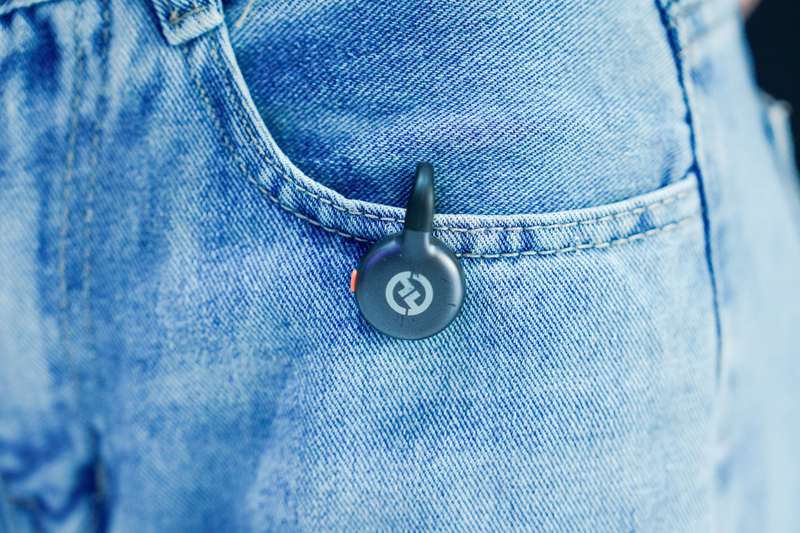
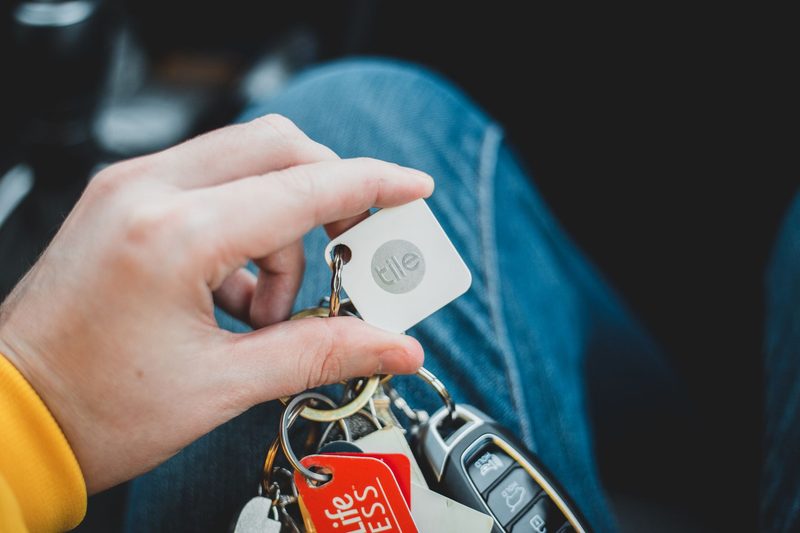
Both trackers are small enough to disappear into a keyring without adding noticeable bulk — AirTag is a smooth 1.26-inch disc, Tile’s square model clips on with a built-in hole for a keyring. Thread it onto the same ring as your house and car keys rather than a separate carabiner; a tracker only works if it’s attached to the thing you actually care about losing, and a second clip is one more point of failure. If you also carry a slim wallet, the Tile Slim card format is worth considering instead of the keyring tag, since it rides flat in a cardholder instead of adding a bump to your pocket.
Skip putting one on a bag you check at the airport or clip visibly to the outside of a backpack — both brands are common enough now that a visible tracker just signals “this bag has something worth taking.” Keep it inside, attached to keys or in a zipped pocket, where it’s doing the job quietly instead of advertising itself.
Which One Should You Pick
If you’re on an iPhone and want the best odds of actually finding lost keys in a city, buy the AirTag — the network size advantage is large enough that it outweighs Tile’s extra features in almost every scenario. If you’re on Android, or your household splits between iOS and Android, buy Tile; an AirTag you can’t track from your own phone isn’t a tracker, it’s dead weight on your keyring. The $5-$10 price difference between them isn’t the deciding factor here — which network your actual phone can tap into is.

Frequently Asked Questions
Can someone use an AirTag or Tile to secretly track me?
Both companies built in protections against this. iPhones alert you if an unfamiliar AirTag is travelling with you, and Android’s unknown tracker alerts do the same for both AirTags and Tile devices. If you get one of these alerts, the tracker usually has a way to trigger a sound so you can physically locate and remove it.
Do I need a subscription to use either tracker?
No. Both AirTag and base Tile models work with zero subscription — you pay once for the hardware. Tile’s Premium plan is optional and only adds extras like lost-item reimbursement, not basic tracking.
Will the battery die without warning?
Both apps send a low-battery notification to your phone well before the tracker dies, typically with weeks of runtime left to swap or replace it.
Can I put one in checked luggage to track it through an airport?
Yes, and it’s one of the more useful travel cases for either tracker — both networks are dense enough around major airports that owners have used them to confirm a bag made a connecting flight before the airline could say so.
Does carrying both an AirTag and a Tile make sense?
Only if you’re hedging a mixed-device household — say your own keys get an AirTag because you carry an iPhone, while a shared bag that an Android-using family member also handles gets a Tile. For a single person’s own EDC, pick one ecosystem and stick with it; running both just means paying twice for the same job.
Sources
- AirTag — Apple — official battery life claim (“works for more than a year”) and IP67 rating
- New Tile Tracker Review for 2026 Buyers — eufy — current Tile lineup pricing, battery types, and Premium subscription pricing
- Tile vs AirTag: Which Bluetooth Tracker Should You Buy — Life360 — Android unknown tracker alert behavior and cross-platform Tile app support